Undo Changes
Git offers different commands that allow to “travel back in time” or undo changes
git checkout
Detached HEAD
Using git checkout <COMMIT> leads to Detached HEAD state.
This state, refers to when HEAD, instead of pointing to a branch reference (like usually) points to a specific commit.
This state is useful for:
- Looking around the state of a repo
- Make experimental changes
- They can be committed and discarded just by switching to a branch
- They can be kept if creating a new branch from the detached HEAD
The last option, allows to branch out on a particular commit in the repo history by reattaching the HEAD
Commits can also be referenced from HEAD instead of the commit hash. So git checkout HEAD~1 takes HEAD back one commit, and so on.
Discard changes
git checkout HEAD <files> will revert all files to the HEAD (To the last commit made). Another way to do the same thing is git checkout -- <files>
git restore
This new command was introduce to limit the wide functionality of git checkout. It can do two things:
Discard changes
Same functionality as git checkout HEAD <files> is achieved with
git restore <files>Restore also allows to set up a “source” different than HEAD to restore files like git restore --source HEAD~1 <files>
Unstage files
To remove a file from the staging area and take it back to the working directory:
git restore --staged <file>git reset
This commands resets the state of the current branch to an specific commit. It comes in two flavors:
git reset <COMMIT>: Will delete the commits but keep the changes in the working directory. This is specially useful when commits were added to the wrong branchgit reset --hard <COMMIT>. Will delete the commits and remove the changes
git revert
Has a very similar effect to git reset, but this command creates a new commit that reverts the changes of another commit :
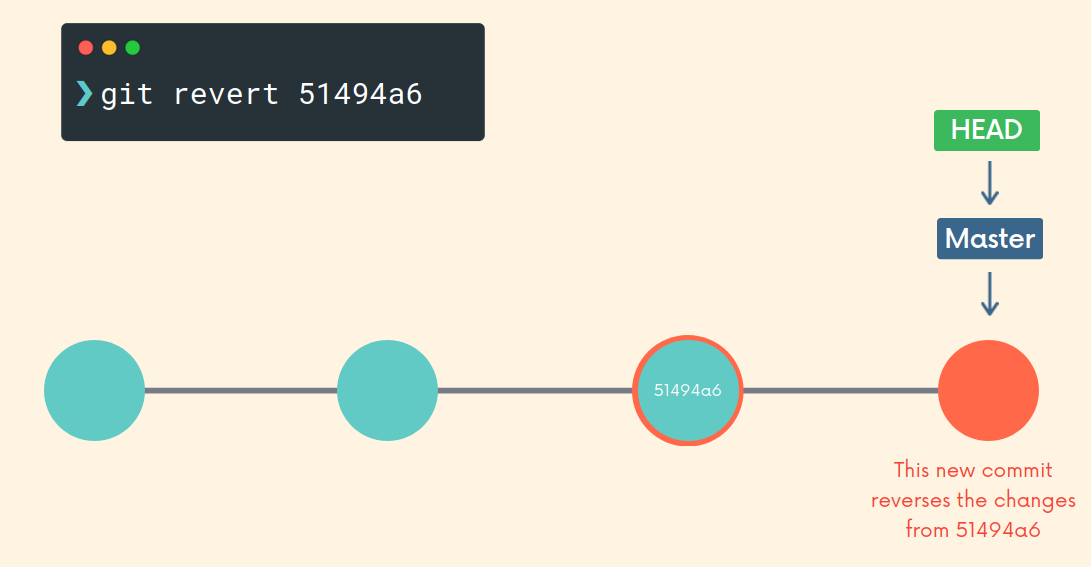
When dealing with collaboration workflows, it is recommended to use revert instead of reset to undo changes. This way, the history that other people have does not have to be rewritten which can lead to issues